What is it?
.NET web application that allows users to track files and back them up to managed cloud storages.
How does it work?
The app is intended to be deployed as a container on a file server. A path on this host server is defined as the main storage location. Any files within this directory are tracked in the app’s database and can be backed up to an indefinite number of cloud storages. The database also keeps track of which file has been uploaded to which cloud storage to ensure all cloud storages are in sync.
Example Deployment
- TrueNAS (both pre or post kubernetes - 24.10)
- PostgreSQL container
- DotSync container
Architecture?
Core libraries follow basic DDD-centric principles. Libraries are then referenced by the ASP.NET Core apps in Apps.
General libraries are in Common while the domains are in their respective dirs, (FileSystem is in FileSystem).
Which technologies?
- .NET (for writing the application’s layers)
- EF Core (+ Npgsql for an operational PostgreSQL database)
- ASP.NET Core (user facing app)
- Blazor
- Component library: MudBlazor
- Blazor
- Docker
- AWS
- S3 (cloud storage option)
- Secrets Manager (for loading sensitive data when deployed to a remote server)
- Roles Anywhere (for giving access to a remote server)
- Cognito (OIDC for authentication and authorization)
- OpenID
How can I run it?
Demo
You can run the demo with docker compose and the following users:
user1/User1user1!(Adminuser group - can start jobs)user2/User2user2!(Vieweruser group - cannot start jobs)
Docker compose
To start it, from the root dir:
docker compose -f docker-compose.yaml -f docker-compose.demo.yaml up --build -d
To stop it:
docker compose -f docker-compose.yaml -f docker-compose.demo.yaml down
The web application will be available at: http://localhost:7040/
Running the demo
When you run the demo, it will show a walkthrough wizard on how to seed the db:
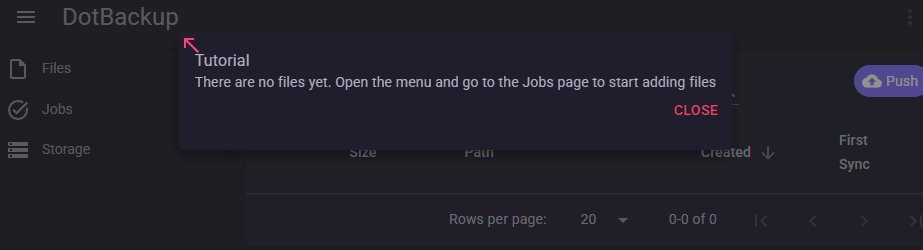
Initially, there are no files, so go to the Jobs page. There will be a description of each job:
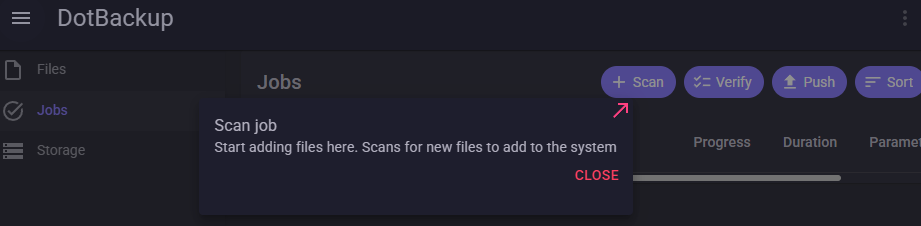
Jobs
- Scan - Scans for new files to add to the system. If the files are on the host machine’s file system (in this case, the container file system), but not in the app, then this will add them to the app.
- Verify - Verifies existing file integrity by comparing checksum and also adds new files like Scan
- Push - Uploads files in the app to cloud
StorageLocations (like S3) - Sort - Sorts files in a designated directory by date and moves them to the main storage. This is used to “stage” files copied to the host machine where they can be sorted and then Scanned (added to the app)